
How to Enable Platforms and Market Data at StoneX
Last updated November 3, 2026
StoneX clients enable a trading platform in the MyStoneX portal. Go to Profile, then Software & Subscriptions, then Software Subscription, and click Manage subscription. Accept the terms, select your account and platform, click Next and choose a payment method. StoneX emails your username and password, and the request can take one business day to complete.
This guide follows the StoneX Software Subscription User Guide dated October 6, 2026. It explains how to subscribe to a CQG platform or a third party platform that uses the CQG API, how to cancel a subscription and where to subscribe to real time market data. To compare the features of each CQG product, see the CQG product comparison.
What do the platforms cost at StoneX?
The table below shows the monthly cost, the per side fee and where market data is selected for each platform, as listed in the StoneX guide.
| Platform | Monthly cost | Per side fee** | Market data |
|---|---|---|---|
| CQG Desktop (web and mobile) | $25, billed to futures account or credit card | $0.25 per contract, capped at $695 | Selected on the MyStoneX page |
| CQG One (web and mobile) | $100, billed to futures account or credit card | $0.25 per contract, capped at $1000, with $0.03 tail | Selected on the MyStoneX page |
| CQG QTrader* | $100, billed by CQG | $0.25 per contract, capped at $1000, with $0.03 tail | Contact CQG Sales |
| CQG Integrated Client* | $595, billed by CQG, plus $250 order routing | n/a | Contact CQG Sales |
| Barchart | $10, billed to futures account or credit card | $0.05 per contract (Barchart Trader) $0.10 per contract (Barchart CmdtyView) | Contact Barchart |
| Motivewave | $10, billed to futures account or credit card | $0.10 per contract | Selected on the MyStoneX page |
| MT5 (MetaTrader) | $0, no monthly fee | $0.15 per contract | Selected on the MyStoneX page |
| QST | $10, billed to futures account or credit card | $0.10 per contract | Contact QST |
| QT Market Center | $10, billed to futures account or credit card | $0.10 per contract | Selected on the MyStoneX page |
| RocketScooter | $10, billed to futures account or credit card | $0.10 per contract | Selected on the MyStoneX page |
| Sierra Chart | $10, billed to futures account or credit card | $0.10 per contract | Contact Sierra Chart |
| TradingView | $10, billed to futures account or credit card | $0.05 per contract | Selected on the MyStoneX page |
* Contact CQG Sales to set up billing for CQG QTrader and CQG Integrated Client at +1 (800) 525-7082. You will receive a username from CQG and a username from StoneX.
** Per side fees are billed to the futures account traded.
How do you subscribe to a platform in MyStoneX?
- Sign in to MyStoneX. Go to the MyStoneX portal at https://my.stonex.com/general-settings/software-and-subscriptions and log in.

Click the person icon in the upper right corner, then click Profile. - Open Software Subscription. Click the person icon in the upper right corner and go to Profile. Then navigate to Software & Subscriptions, then Software Subscription, and click Manage subscription.

Software & subscriptions, then Manage subscription next to Software Subscription. - Accept the terms. Review the Software Subscription Terms and click Accept to proceed. A summary of the terms appears further down this page.
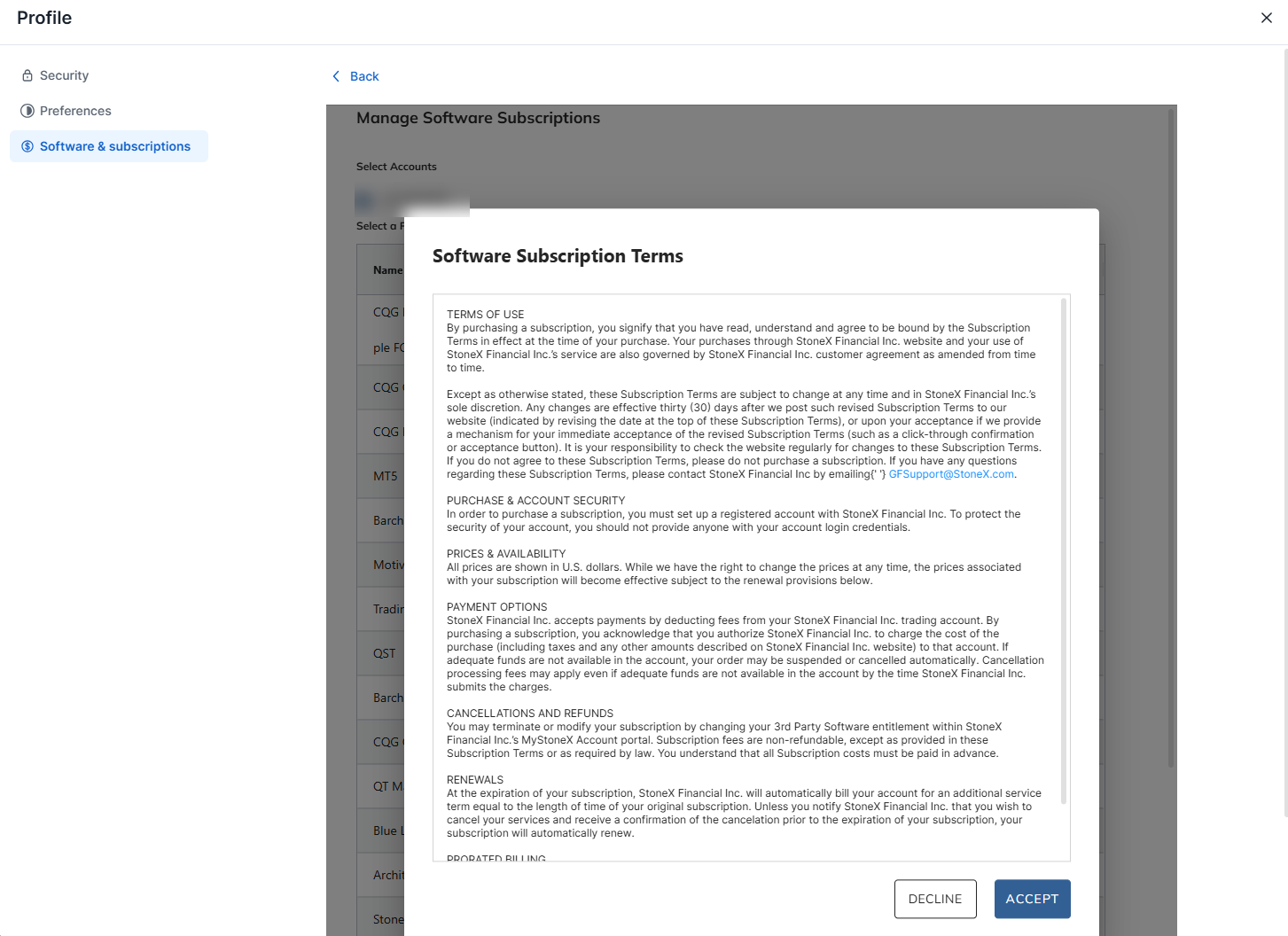
The Software Subscription Terms window. Click Accept to proceed. - Select the account and the platform. Select the account you would like to trade under Select Accounts, then select the radio button for the desired platform in the Subscribe column. Then click Next.
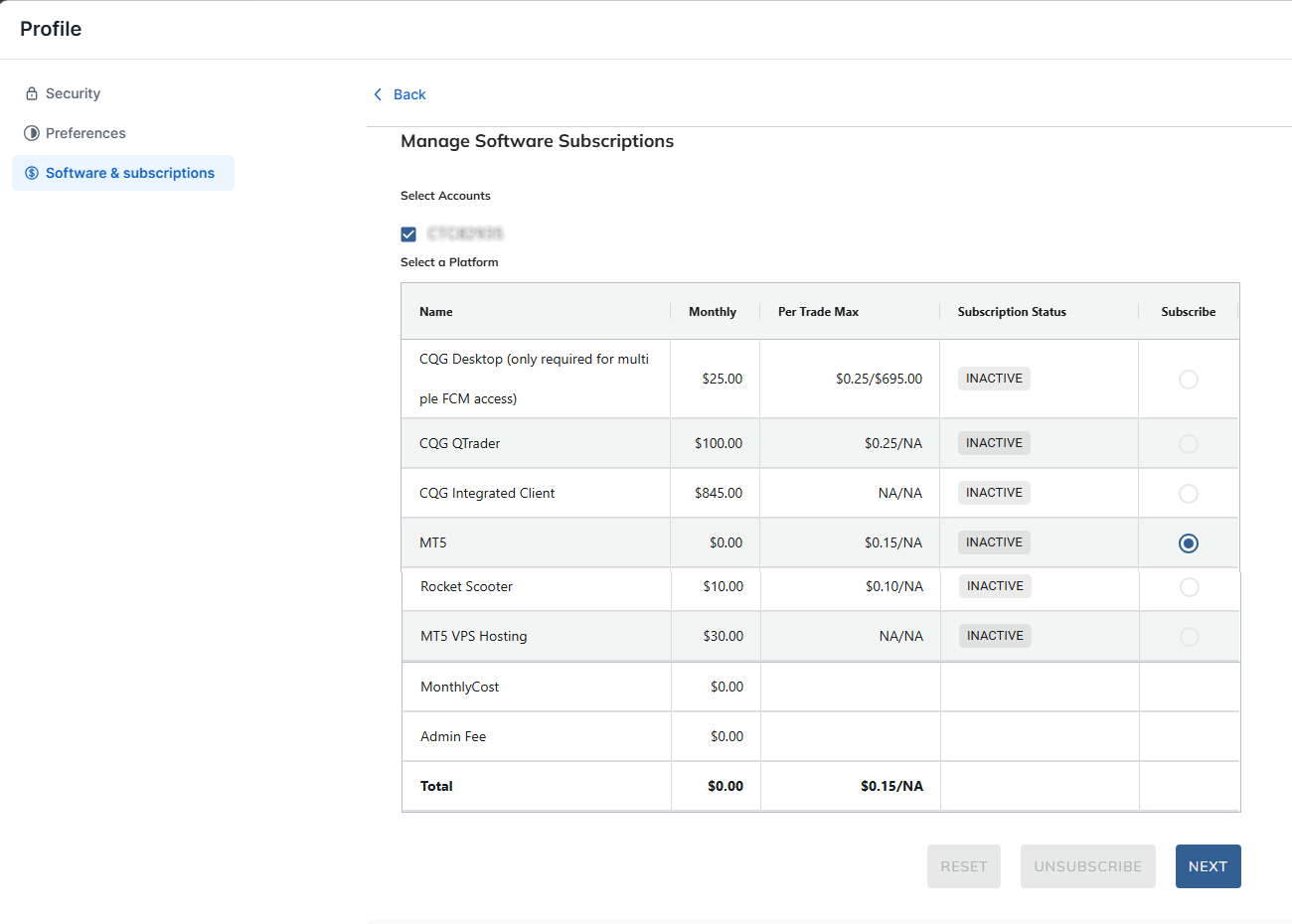
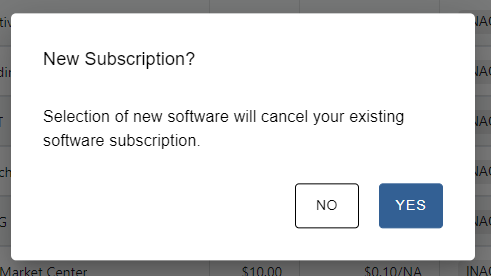
Select the account, choose a platform in the Subscribe column and click Next. Note: Only self directed accounts can subscribe. Brokers or accounts that are managed by another party cannot be enabled. A prompt like the one below may appear. It states that selection of new software will cancel your existing software subscription.
The New Subscription prompt. - Choose the payment method. Select the payment plan. The Payment Plan screen offers Fees withdrawn from futures account, with an Account to Bill menu, or Credit Card. Then click Confirm.
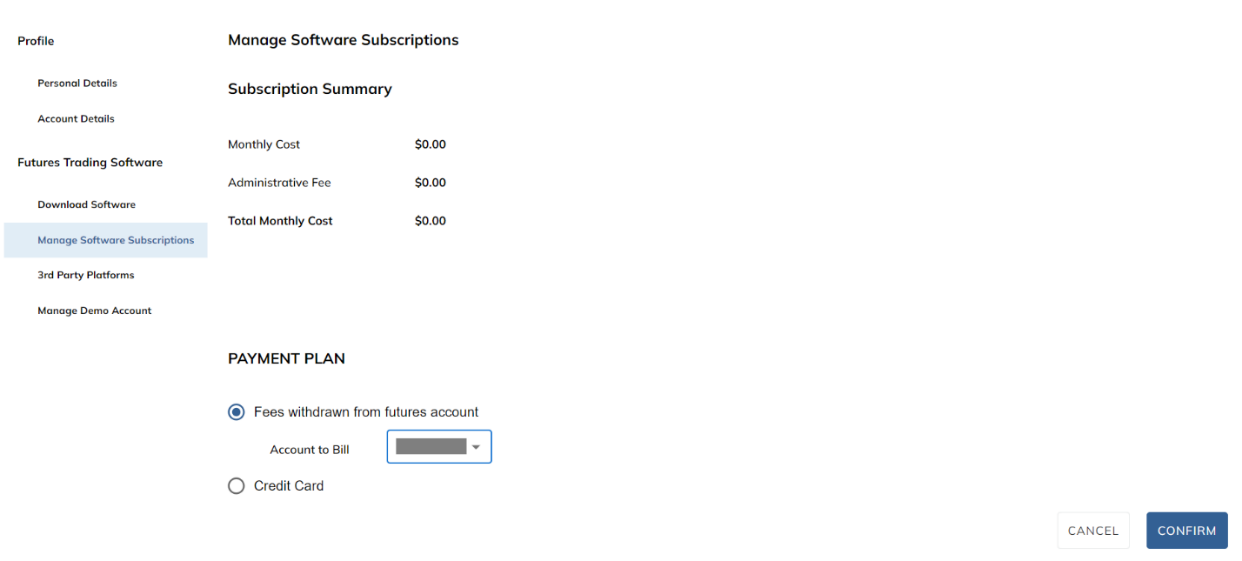
The Payment Plan screen and the Confirm button. - Wait for the confirmation email. A message will appear that your request is in progress. An email will be sent with your username and password. Allow one business day for the request to be completed.
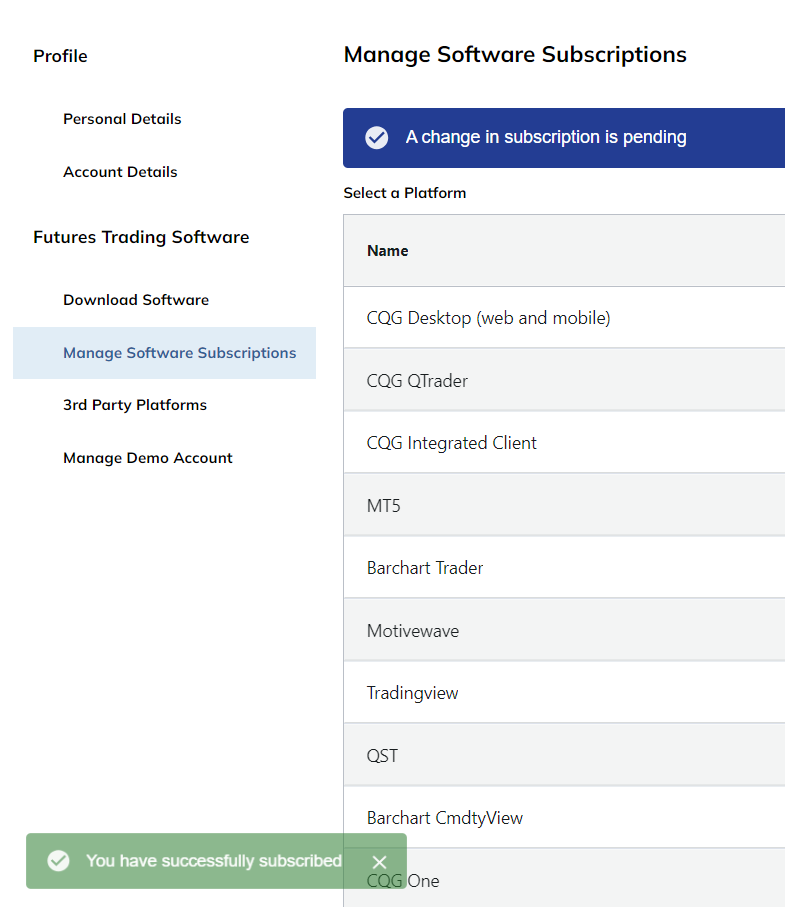
A change in subscription is pending after you subscribe.
How do you cancel a platform subscription?
- Click Unsubscribe. On the Manage Software Subscriptions screen, click Unsubscribe to continue.
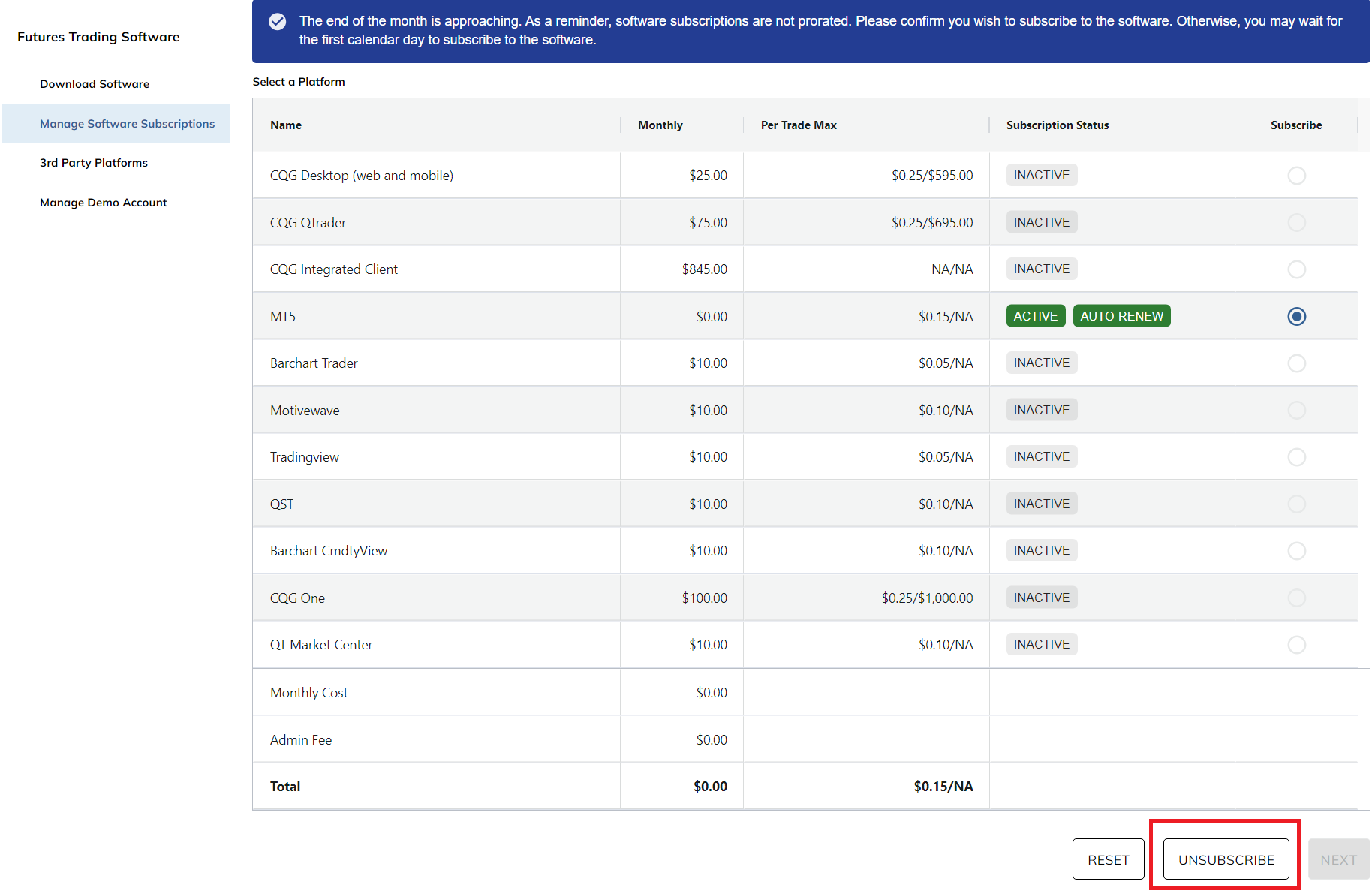
The Unsubscribe button on the Manage Software Subscriptions screen. - Confirm the cancellation. Click Yes in the Confirmation window.
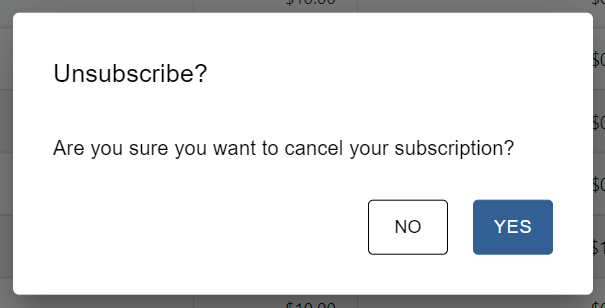
The Unsubscribe confirmation window. Click Yes. - Check the message. A message confirms that the request is in process.
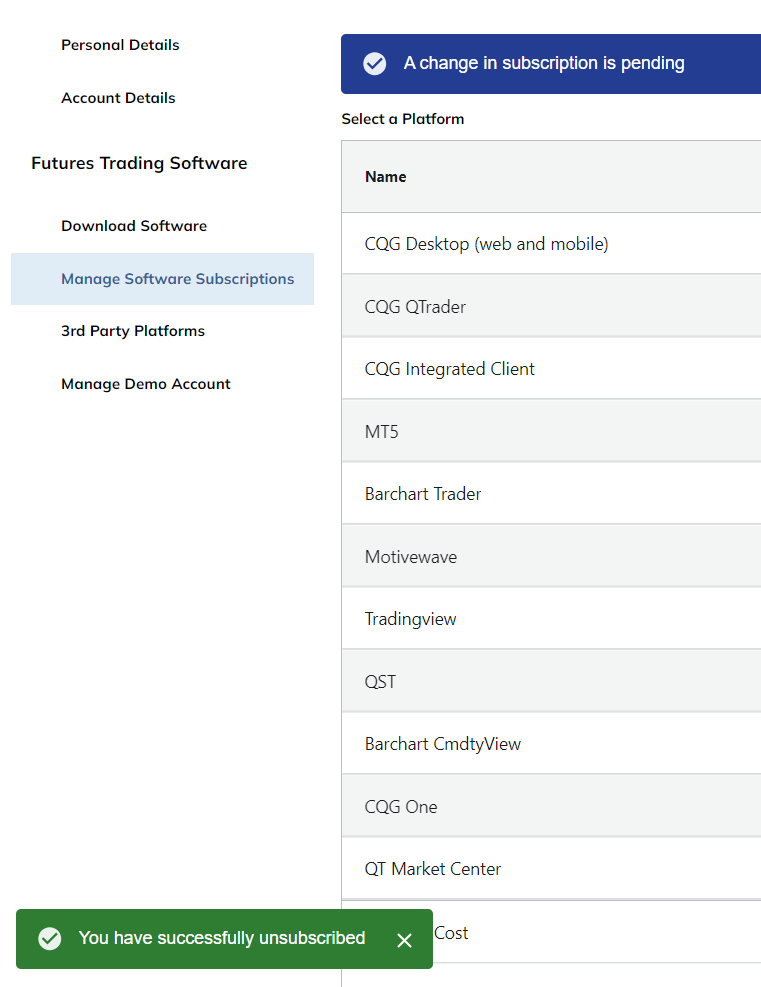
The message shown after you unsubscribe.
Screenshots come from the StoneX guide. Where a screenshot shows a different amount than the table, refer to the table above and confirm current pricing in MyStoneX.
How do you subscribe to real time market data?
Each platform comes with free delayed market data. To subscribe to real time data, go to https://my.stonex.com/general-settings/software-and-subscriptions. In the Software & subscriptions section of your Profile, Market Data Subscription has its own Manage subscriptions link. For CQG QTrader, CQG Integrated Client, Barchart, QST and Sierra Chart, the guide directs you to contact that provider for market data, as shown in the table above.
What do the StoneX subscription terms say?
- Prices. All prices are shown in U.S. dollars. StoneX may change prices at any time, and the prices associated with your subscription become effective subject to the renewal provisions.
- Payment. StoneX deducts fees from your trading account. If adequate funds are not available in the account, your order may be suspended or cancelled automatically. Cancellation processing fees may apply even if adequate funds are not available in the account when StoneX submits the charges.
- Cancellations and refunds. You may terminate or modify your subscription by changing your third party software entitlement in the MyStoneX portal. Subscription fees are non refundable, except as provided in the Subscription Terms or as required by law. All subscription costs must be paid in advance.
- Renewals. At the expiration of your subscription, StoneX automatically bills your account for an additional service term equal to the length of your original subscription. Unless you notify StoneX that you wish to cancel and receive a confirmation of the cancellation before the expiration, your subscription renews automatically.
- No prorated billing. No prorated billing amount is applied for a subscription after the first calendar day of the month, and no prorated credit is given for unused time after a subscription is terminated or modified. Near the end of the month, MyStoneX reminds you that software subscriptions are not prorated and that you may wait for the first calendar day of the month to subscribe.
- Changes to the terms. StoneX may change the Subscription Terms at any time. Changes are effective thirty (30) days after the revised terms are posted, or upon your acceptance if StoneX provides a way to accept them immediately.
- Account security. You must have a registered account with StoneX to purchase a subscription. Do not provide anyone with your account login credentials.
- Questions. For questions about the Subscription Terms, StoneX asks clients to email StoneXFutures@StoneX.com.
Frequently asked questions
Which StoneX accounts can subscribe to a platform?
Only self directed accounts can subscribe. Brokers or accounts that are managed by another party cannot be enabled.
How long does it take to enable a platform?
Allow one business day for the request to be completed. StoneX sends an email with your username and password.
Does my platform include market data?
Each platform comes with free delayed market data. Real time data is subscribed to in MyStoneX, or through the provider for platforms where the table above says to contact them.
Are subscription fees refunded if I cancel during the month?
Subscription fees are non refundable except as provided in the StoneX Subscription Terms or as required by law, and no prorated credit is given for unused time after a subscription is terminated or modified.
Need help enabling a platform?
Lincoln Park Financial customer service is available 24/7 to help you subscribe to a platform or set up market data at StoneX.
Contact us Call 312-500-4730Sources (checked November 3, 2026)
- StoneX Software Subscription User Guide (October 6, 2026)
- MyStoneX Software and Subscriptions
- CQG product comparison
Trading futures involves substantial risk of loss and is not suitable for all investors. Past performance is not indicative of future results.