
How to Download the Ironbeam Desktop Platform for Mac and Windows
Last updated November 17, 2026
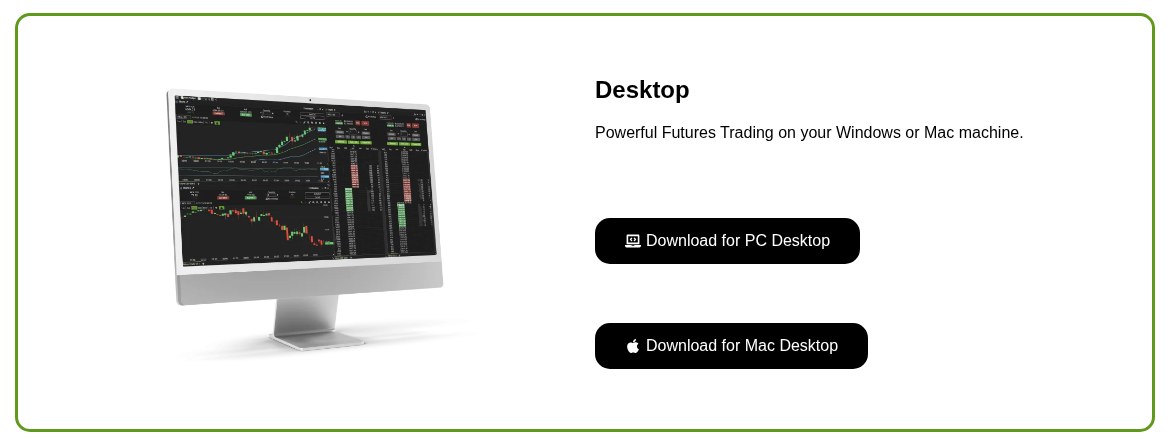
Go to www.ironbeam.com/app. In the Desktop section, click Download for PC Desktop on Windows or Download for Mac Desktop on a Mac. Install the file, open the Ironbeam platform, and log in with your Ironbeam platform credentials.
The Ironbeam platform runs on both Windows and Mac. Ironbeam offers both desktop downloads on the same page, so Lincoln Park Financial clients use one link no matter which computer they have. Ironbeam recommends the downloadable desktop software whenever possible.
How do you download the desktop platform?
- Open the Ironbeam download page. Go to www.ironbeam.com/app.
- Find the Desktop section. It reads Powerful Futures Trading on your Windows or Mac machine.
- Choose your computer. Click Download for PC Desktop on a Windows computer, or Download for Mac Desktop on a Mac.
- Install the platform. Open the downloaded file and follow the installation prompts on your computer.
- Log in. Open the Ironbeam platform and sign in with your Ironbeam platform credentials.
Can you use the platform without downloading it?
Yes. The same page offers Cloud Based Web Trading. Click Log In to trade from a web browser at trade.ironbeam.com. The page also links to the Ironbeam app for iPhone and Android.
Which devices are supported?
Ironbeam lists Windows, Mac, iPhone, iPad, Android, and any up to date web browser as compatible with the Ironbeam platform.
What should you do next?
Once you are logged in, activate your market data and set up your workspace. See How to Activate Market Data on the Ironbeam Platform (Level 8) and the Ironbeam Platform Walkthrough. If you do not have Ironbeam platform credentials yet, see How to Enable Platforms and Market Data at Ironbeam.
Frequently asked questions
Does the Ironbeam platform run on Mac?
Yes. Ironbeam offers a Mac desktop download on ironbeam.com/app, on the same page as the Windows download.
Is there a separate download page for Windows and Mac?
No. Both desktop downloads are in the Desktop section of the same Ironbeam page.
Do I have to download anything to use the Ironbeam platform?
No. You can also trade from a web browser at trade.ironbeam.com, or use the Ironbeam mobile app. Ironbeam recommends the desktop software whenever possible.
Need help installing the Ironbeam platform?
Lincoln Park Financial customer service is available 24/7 to help you set up the Ironbeam platform.
Contact us Call 312 500 4730Sources (checked November 17, 2026)
- Ironbeam download page (ironbeam.com/app)
- Ironbeam Knowledge Base: Which operating systems is Ironbeam’s platform compatible with?
- Ironbeam Knowledge Base: Which version of the Ironbeam platform is best?
- Ironbeam Knowledge Base: Is the Ironbeam platform compatible with Mac?
Trading futures involves substantial risk of loss and is not suitable for all investors. Past performance is not indicative of future results.